Hearts of Iron IV Tutorial: Learn Your First Campaign
Start this Hearts of Iron IV tutorial to learn research, factories, division templates, supply, and combat, then put your first campaign on solid footing.
Jump to
How to Start Your First Campaign
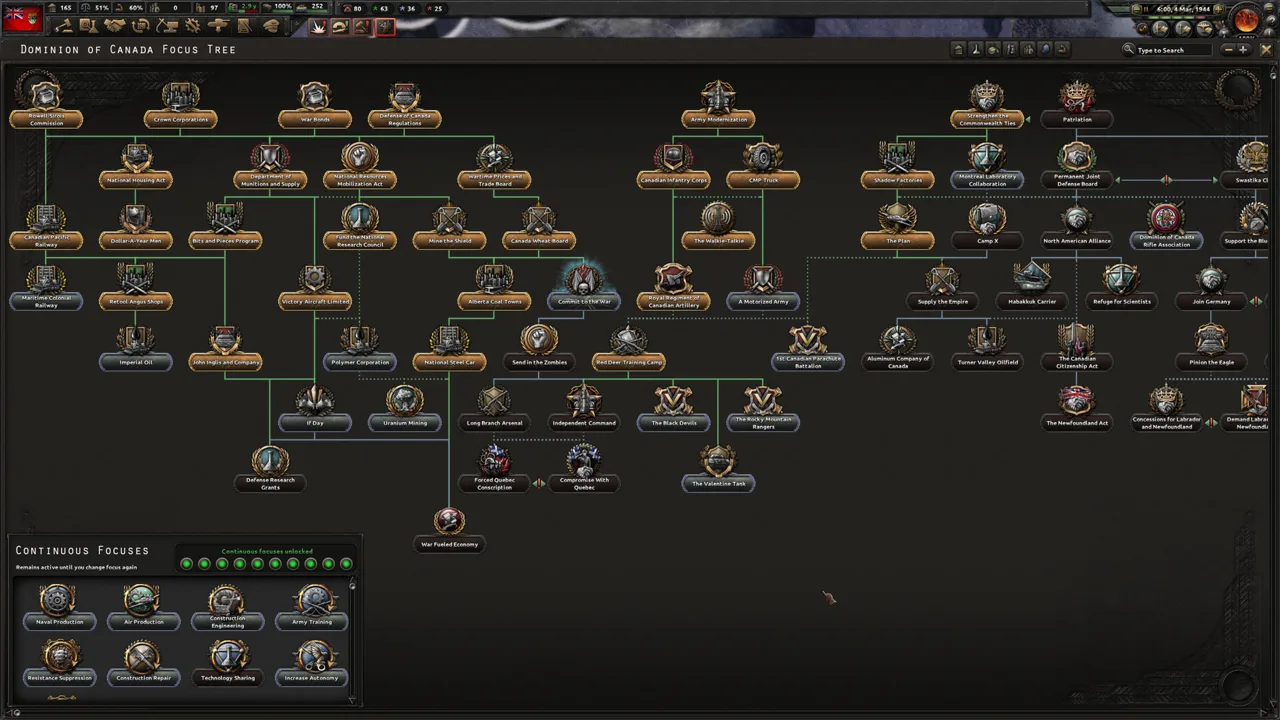
Start your Hearts of Iron IV tutorial by choosing a 1936 single-player campaign, enabling historical AI focuses, and pausing before you issue orders. Select a national focus, fill your research slots, queue construction, and assign equipment production. Organize your divisions into armies, then check supply before attacking; preparation keeps your offensive from stalling.
2024 Base-Game Campaign Setup
Use this setup to practice the core systems before tackling expansion-specific national mechanics.
| Setting | Starting choice | What it gives you |
|---|---|---|
| Game mode | Single-player | Control your country while learning; Co-op and Online Co-op are also available |
| Start date | 1936 | Time to develop industry and organize your military before the wider war |
| Country | Italy | An existing war against Ethiopia for practicing land combat |
| Historical AI focuses | Enabled | Other countries follow their historical national focus paths |
| Ironman | Disabled | Access to earlier saves while learning |
Italy combines an active opening conflict with an industry you can develop. Keep your initial attention on Ethiopia rather than trying to manage every potential Mediterranean conflict immediately.
Press Space to pause and unpause. Leave the game paused while setting up your country, then advance at a pace that lets you respond to completed research, national focuses, and battles.
Hover over unfamiliar icons. Tooltips explain costs, requirements, modifiers, and the reasons an action is unavailable.
Official page: Hearts of Iron IV (paradoxinteractive.com)
Choose National Focuses, Research, and Political Spending
Your national focus tree sets the direction of your country. Its branches can improve industry, strengthen the armed forces, or change your political path.
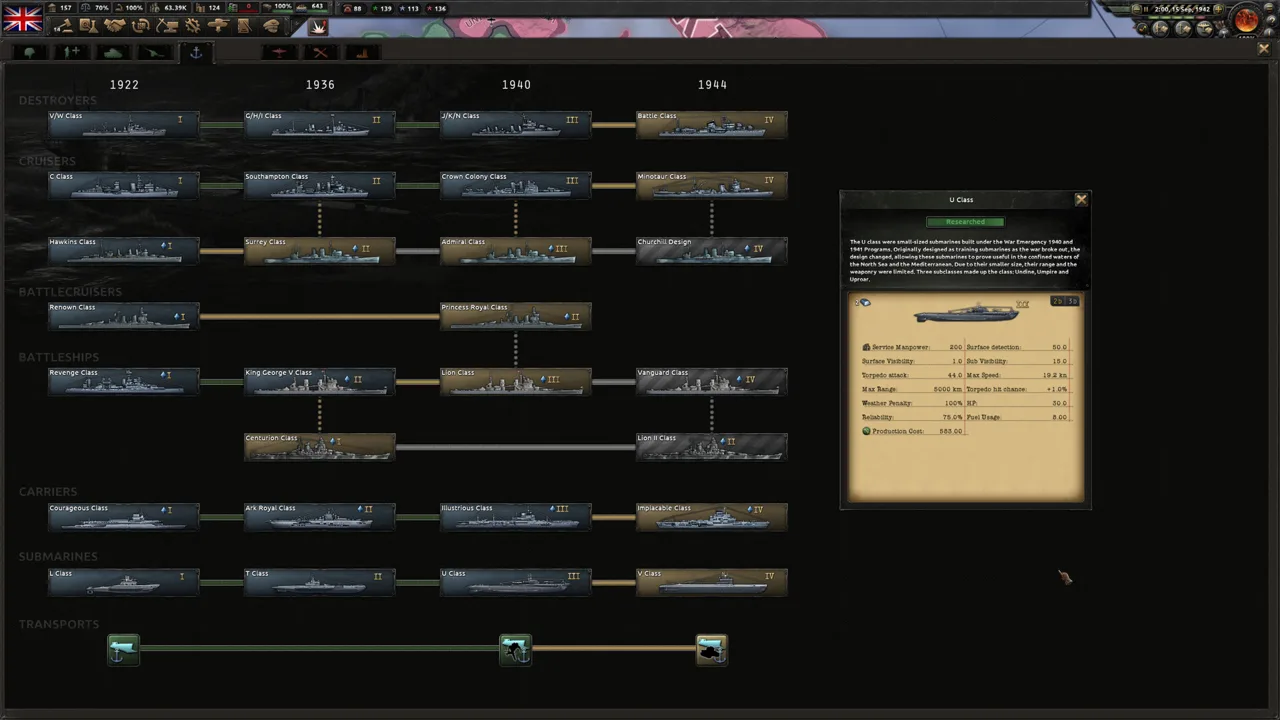 Image: Steam / Paradox Development Studio
Read a focus’s prerequisites and rewards before selecting it. Some branches are mutually exclusive, so a political choice can close another route.
Prioritize early industrial rewards when preparing for a longer buildup. Factories gained early have more time to contribute to construction or equipment production.
Research runs separately from national focuses. In the 2024 base-game Italy setup, you begin with four research slots. Keep them occupied.
Start with these priorities:
- Industry: Improve construction and equipment production.
- Electronics: Develop research-speed improvements.
- Military equipment: Research weapons and vehicles you intend to manufacture.
Check the technology’s year before starting it. Researching ahead of time incurs a penalty; use available research bonuses deliberately rather than tying up a slot without examining the completion time.
Political power pays for advisers, laws, and many decisions. Read both the cost and the effect before spending it. An adviser who improves construction serves a different purpose from a military appointment that strengthens your forces or generates experience.
Also inspect your national spirits. These country-specific effects help explain why your economy or armed forces perform differently from another nation’s.
Build Industry and Keep Production Supplied
Civilian factories handle construction, repairs, and resource imports. Military factories produce equipment, while dockyards build and repair ships.
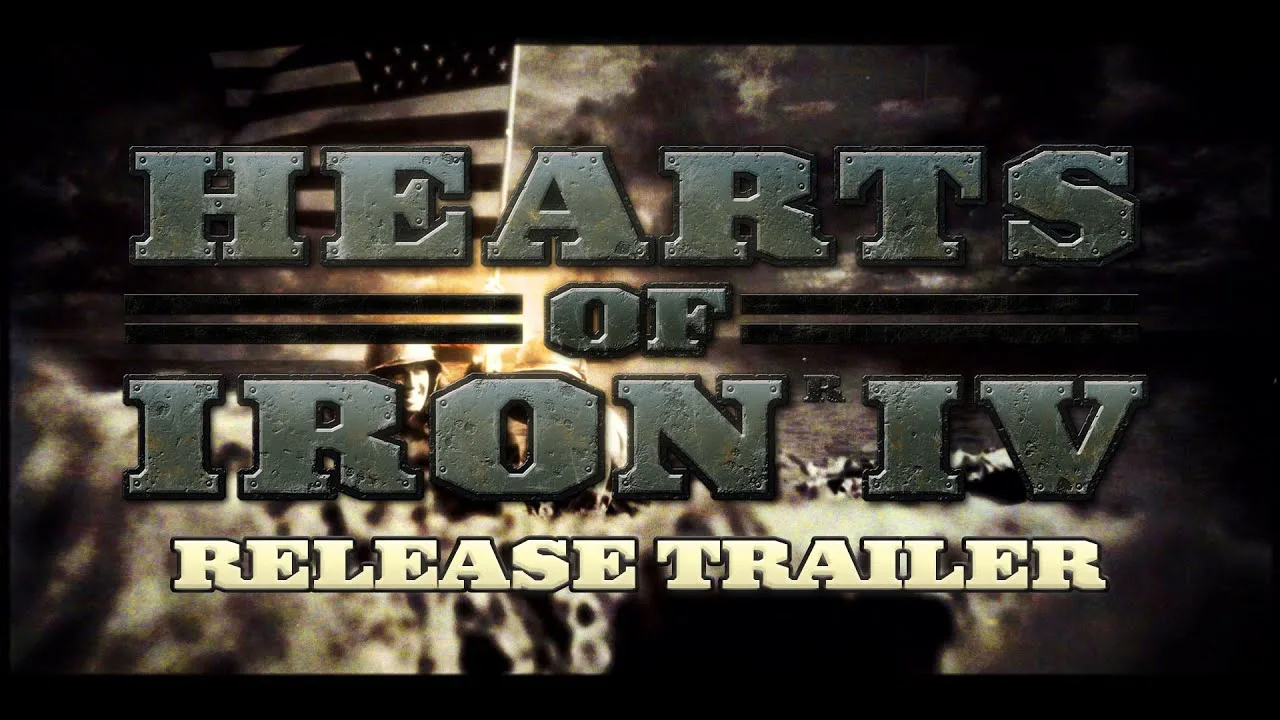
Build civilian factories early when your campaign gives you time to benefit from additional construction capacity. Prepare military production before your planned wars instead of expanding civilian industry indefinitely.
When placing factories, examine infrastructure and available building slots. Civilian factories, military factories, and dockyards share a state’s building capacity.
Keep your construction queue purposeful:
- Queue the factories needed for your buildup.
- Put urgent projects above less important construction.
- Add railways, ports, or other support buildings where your military plans require them.
- Revisit the queue when war creates repair needs or changes your priorities.
Match Production to Your Army
Open the Logistics tab before distributing military factories. An infantry army with a rifle shortage needs infantry equipment before it needs an ambitious new tank program.
Cover the equipment your deployed divisions already use, then expand into additional designs. Include support equipment, artillery, trucks, and trains where your templates and supply network require them.
Military production lines build efficiency over time. Repeatedly switching equipment types reduces output, so avoid reorganizing every line whenever a new idea occurs to you.
Resource shortages also slow production. Inspect each line’s resource requirements and use trade to address important deficits.
Imports commit civilian factories for the duration of the trade. Review imports after changing production, and cancel purchases you no longer need so those factories become available again.
Train Divisions Without Creating Equipment Shortages
A division template determines which battalions and support companies a unit contains. Changing that template affects every division using it.
 Image: Steam / Paradox Development Studio
Before adding battalions, inspect the equipment cost. Expanding an entire army’s template can turn a manageable stockpile into a major deficit.
Duplicate a template before experimenting with a new role. Train new divisions using the duplicated template to leave existing divisions’ designs unchanged.
Watch these attributes in the division designer:
- Organization: Helps determine how long the division can remain in combat.
- Soft attack: Relevant against enemy formations with low hardness, including infantry-heavy forces.
- Combat width: Determines how much space the division occupies in a battle.
- Equipment requirements: Show whether your industry can support the design.
Avoid choosing a template solely because its attack value rises. Additional battalions also change its cost, organization, and combat width.
Reinforce Before Expanding
The recruitment screen shows the manpower and equipment needed by divisions in training. Queue units at a rate your stockpiles can support.
Deploying early sends undertrained troops into service. In the 2024 base-game rules, green divisions receive a −25% combat penalty, while trained divisions avoid that penalty.
Field exercises improve experience but reduce organization while active. Exercise troops away from immediate fighting, then let them recover before sending them into combat.
When your army is short of essential equipment, pause additional recruitment and rebuild its strength.
Organize Armies and Fight for Encirclements
Select your divisions, create an army, and assign a general. In the 2024 base-game setup, a general normally commands 24 divisions without an over-command penalty. Split oversized armies and place them under a field marshal when organizing a larger force.
Use this sequence to prepare an offensive:
- Assign a frontline along the enemy border.
- Draw an offensive line toward your intended objective.
- Let assigned divisions reach their positions.
- Check equipment, organization, and supply.
- Activate the attack order when the army is ready.
A frontline positions troops; it does not start an offensive by itself.
Read Battles Before Committing More Troops
Open a battle’s details to inspect terrain, participating divisions, and combat modifiers. Adding more units does not automatically solve a difficult fight because terrain limits the available combat width.
Attack from additional directions where your positions allow it. Examine river crossings, mountains, and other terrain penalties before committing your strongest formations.
Use manual movement to exploit openings and help adjacent attacks. Aim to surround enemy divisions and cut off their retreat. A defeated formation with no friendly province available for retreat can be destroyed, removing it from the front.
Avoid leaving an offensive running simply because the battle plan exists. Pause attacks that are draining organization and equipment without making useful progress.
Before declaring another war, inspect the target’s guarantees. A seemingly limited invasion can bring additional countries into the conflict.
Give Aircraft and Fleets Specific Missions
Aircraft need an airbase, an assigned air region, and an active mission. Deploying planes alone does not put them to work.
Use fighters for air superiority or interception. Assign close air support aircraft to support land battles, and use naval bombers against enemy shipping.
Check aircraft range and airbase capacity. An overcrowded base or poor coverage reduces mission effectiveness. Move wings closer to an advancing front when suitable airfields become available.
You can also attach air wings to an army so they follow its operations automatically. Select their missions before assigning them.
Separate Naval Roles
Organize submarines separately from surface warships. Their missions and operating needs differ:
- Convoy raiding: Use submarines to attack enemy transport routes.
- Convoy escort: Protect shipping carrying resources, supplies, and troops.
- Patrol: Search assigned sea regions for enemy forces.
- Strike force: Keep ships in port until a detected enemy gives them a reason to sortie.
Give damaged ships access to repairs and allocate dockyards to the repair queue. Use automatic detachment so damaged vessels can return without taking the entire task force with them.
Watch fuel while fleets train or operate. Continuous activity can consume reserves you need when a major engagement begins.
Fix Supply Before Sending More Divisions
Press F4 to inspect the supply map. Supplies travel through your network toward supply hubs and ports, which distribute them to nearby troops.
Railways connect that network, but railway tracks alone do not distribute hub supply to surrounding divisions.
When an army struggles with supply, inspect the cause before building anything:
- Check its connection to your capital or an overseas supply route.
- Inspect railway and port capacity.
- Confirm that trains, trucks, and convoys are available.
- Consider motorizing hub distribution to extend its reach.
- Reduce crowding if more divisions are consuming supply than the area can deliver.
Build additional hubs when your planned advance needs them, and connect those hubs to the network. A disconnected hub does not solve the army’s problem.
Treat fuel as a separate requirement. Aircraft, ships, and motorized or armored formations depend on it. Import oil, research fuel-production improvements, or reduce unnecessary operations when consumption exceeds production.
For example, stop naval exercises before they exhaust the fuel needed for wartime missions.
Capture Victory Points and Manage the Peace
Cities and other marked locations contain victory points. Hover over them to inspect their value, and examine the enemy’s surrender progress in the war interface.
Choose objectives that your army can capture and keep supplied. Pursuing a valuable city is useful only if your advance can reach it without leaving exposed troops behind.
When a peace conference opens, select the demands you want to make. Available actions include taking territory, liberating countries, and creating puppets. Submit your demands and review the outcome before confirming your exit.
After gaining occupied territory, inspect occupation management. Account for garrison manpower needs when planning recruitment.
Assign a cavalry-based garrison template through the occupation controls rather than treating those units as another frontline army. Keep that requirement separate from the divisions defending your borders and ports.
Continue exploring
Hearts of Iron IV Division Templates: Builds That Work
Build Hearts of Iron IV division templates for defense, tank offensives, and naval invasions. Compare battalions, combat widths, and support companies.
Hearts of Iron IV La Resistance: Features & Buying Guide
Explore Hearts of Iron IV La Resistance, including espionage, secret agents, resistance options, DLC requirements, and purchase choices for your campaign.
Join the community
Official channels for news, updates and player help: